IntentOps Studio 1.0.0 is available now

Turn customer conversations into local intent intelligence.

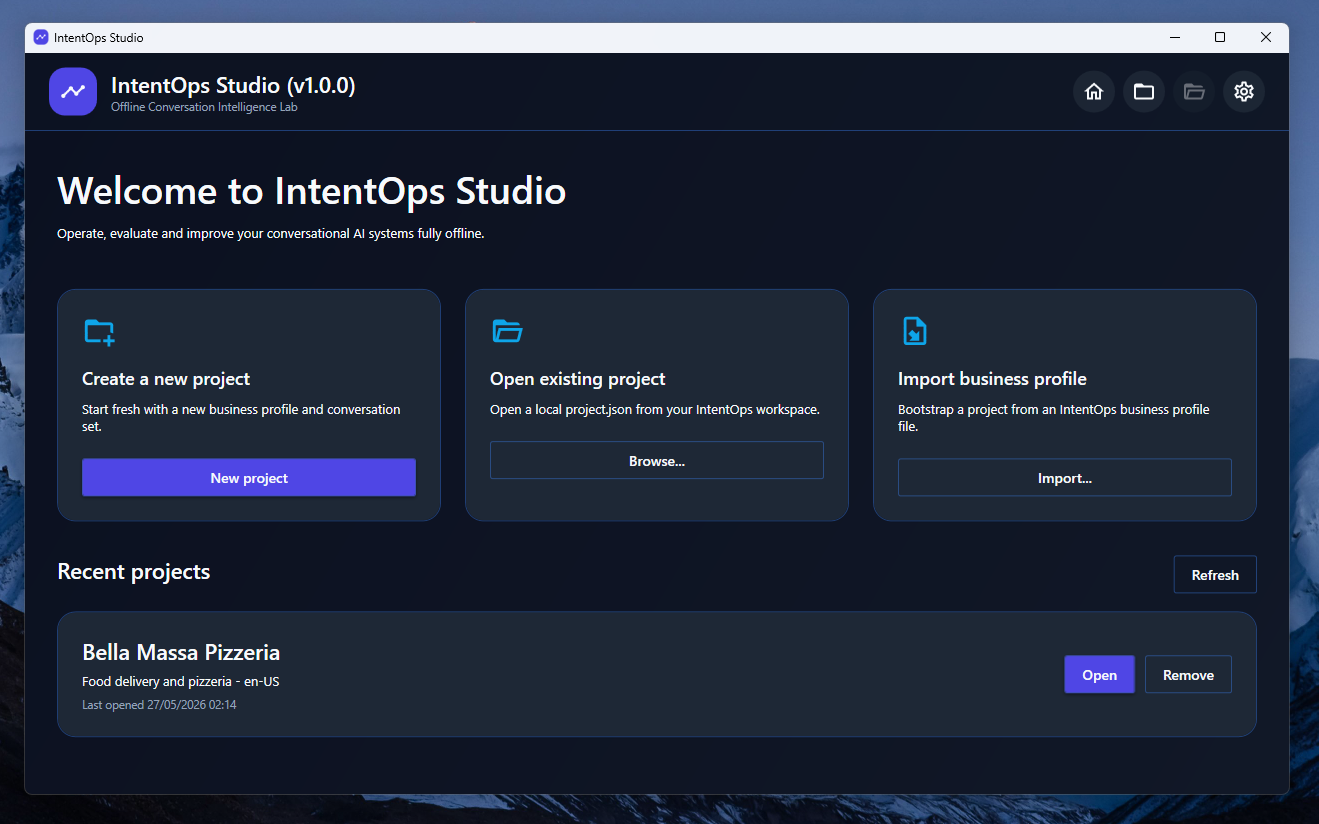
IntentOps Studio imports support conversations, extracts reviewable samples, builds intent datasets, trains local ML.NET classifiers, evaluates model quality, generates recommendations, and exports reports.
Offline-first Encrypted projects Local ML.NET training Reports
IntentOps Studio welcome screen preview

An offline workspace for practical intent operations.

Built for teams that need to understand customer requests, prepare reviewed intent datasets, train local classifiers, and document model quality without sending data to a cloud service.

Conversation import

Import structured chatbot or support conversations and turn customer messages into reviewable samples.

Human review

Confirm, correct, mark unknown, or discard samples before they become training data.

Dataset builder

Create intent datasets with minimum examples, weak-intent filtering, class balancing, and export packages.

Local model loop

Train local ML.NET classifiers, evaluate metrics, identify gaps, and generate improvement recommendations.
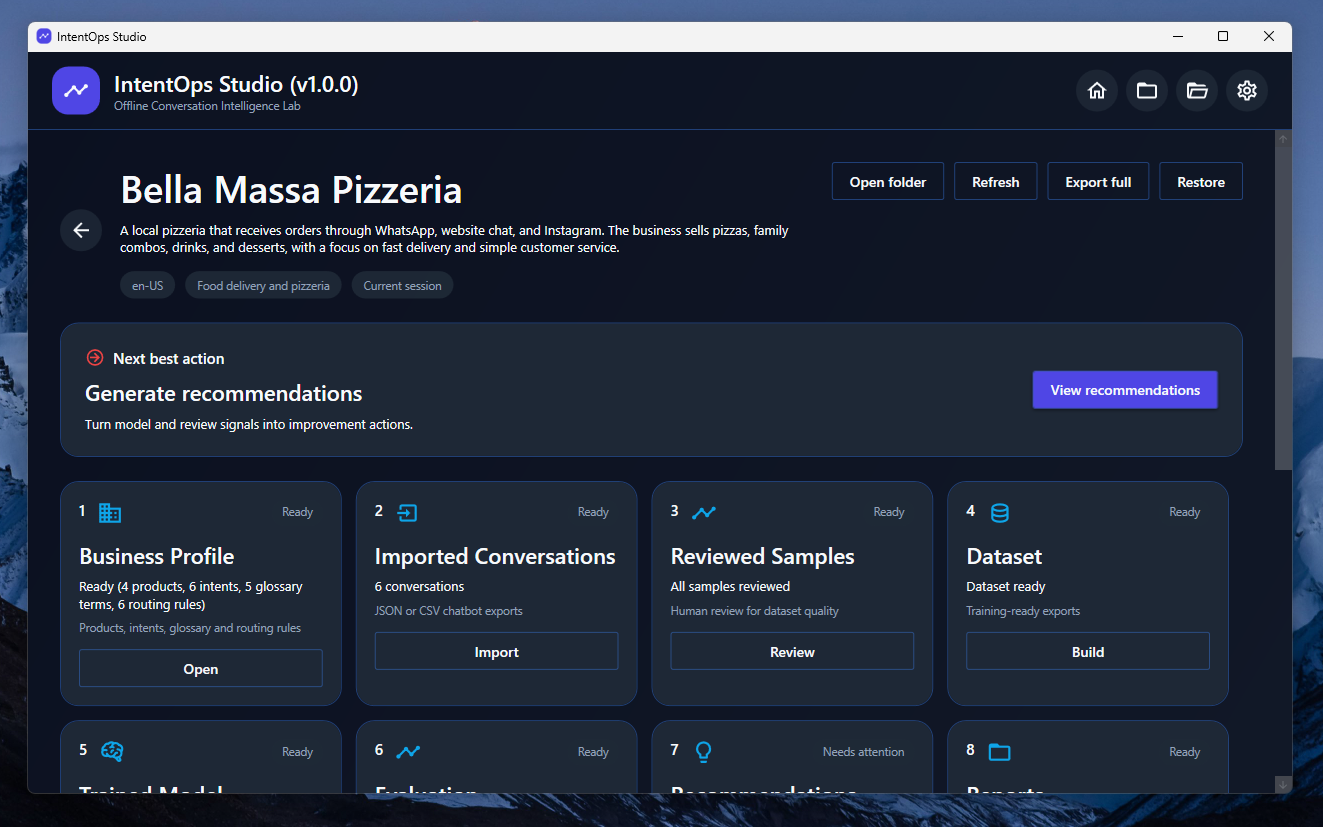
IntentOps Studio project dashboard

Guide every project from import to reports.

The project dashboard shows the whole intent-operations pipeline and helps users move through each step: business context, conversations, samples, datasets, models, evaluation, recommendations, and reports.

Create encrypted or unencrypted local projects.
Track project readiness from one dashboard.
Keep imported conversations and training artifacts on the user's machine.
Open the next best workflow step without guessing where to go next.

From raw conversations to reviewed training data.

IntentOps Studio keeps humans in the loop so noisy messages do not become unreliable model examples.

Raw chatbot exports

  • Contain greetings, order identifiers, emails, status replies, and low-value noise.
  • May mix multiple intents inside the same conversation.
  • Are hard to use directly as reliable training data.
  • Do not explain which intents are weak or underrepresented.
  • Often require manual spreadsheet cleanup before training.

Review samples before they become a dataset.

Sample review is where intent quality starts. Confirm good suggestions, correct wrong labels, mark unclear messages as unknown, and discard examples that would pollute the dataset.
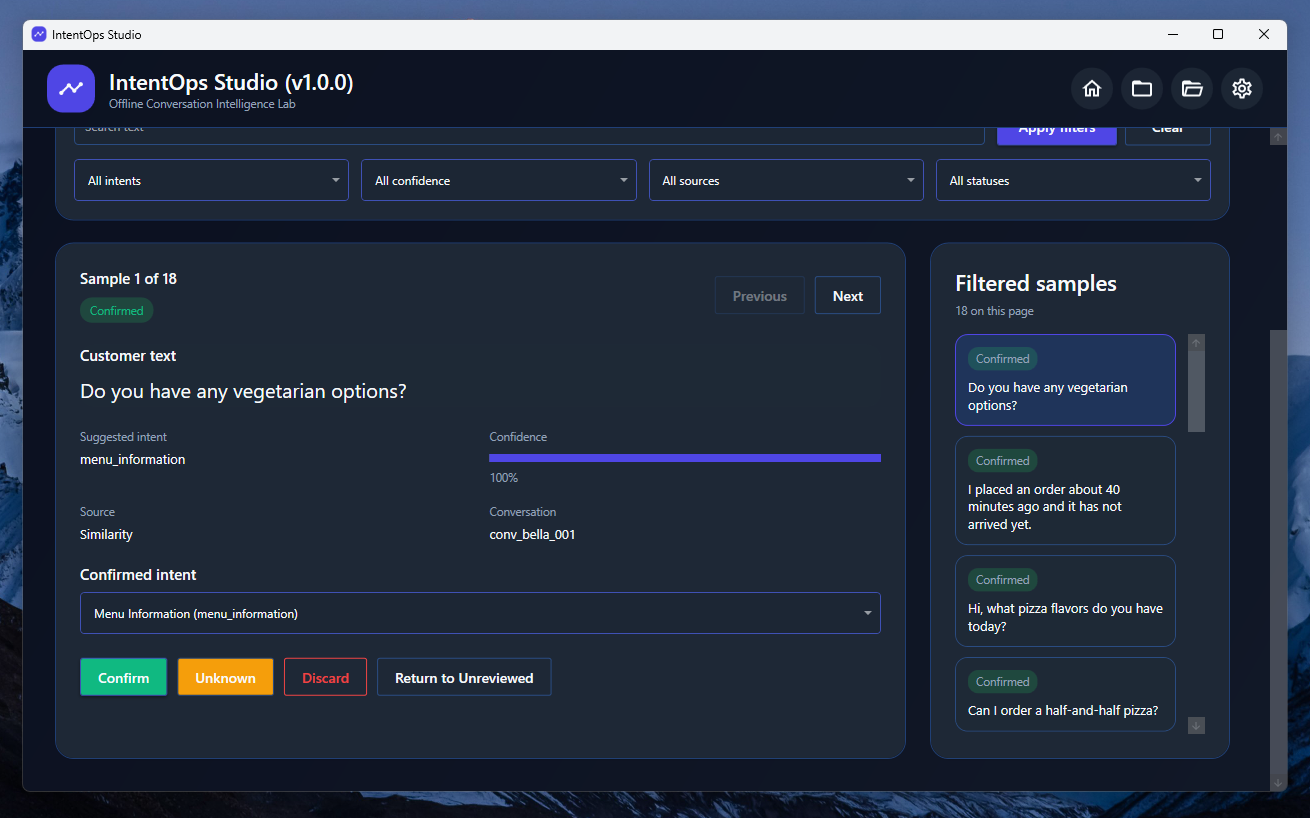
Filter samples by status, source, confidence, and intent.
Correct the confirmed intent without leaving the review screen.
Keep only meaningful customer messages for dataset creation.
Create cleaner datasets for local intent-classification experiments.
IntentOps Studio reviewed samples screen
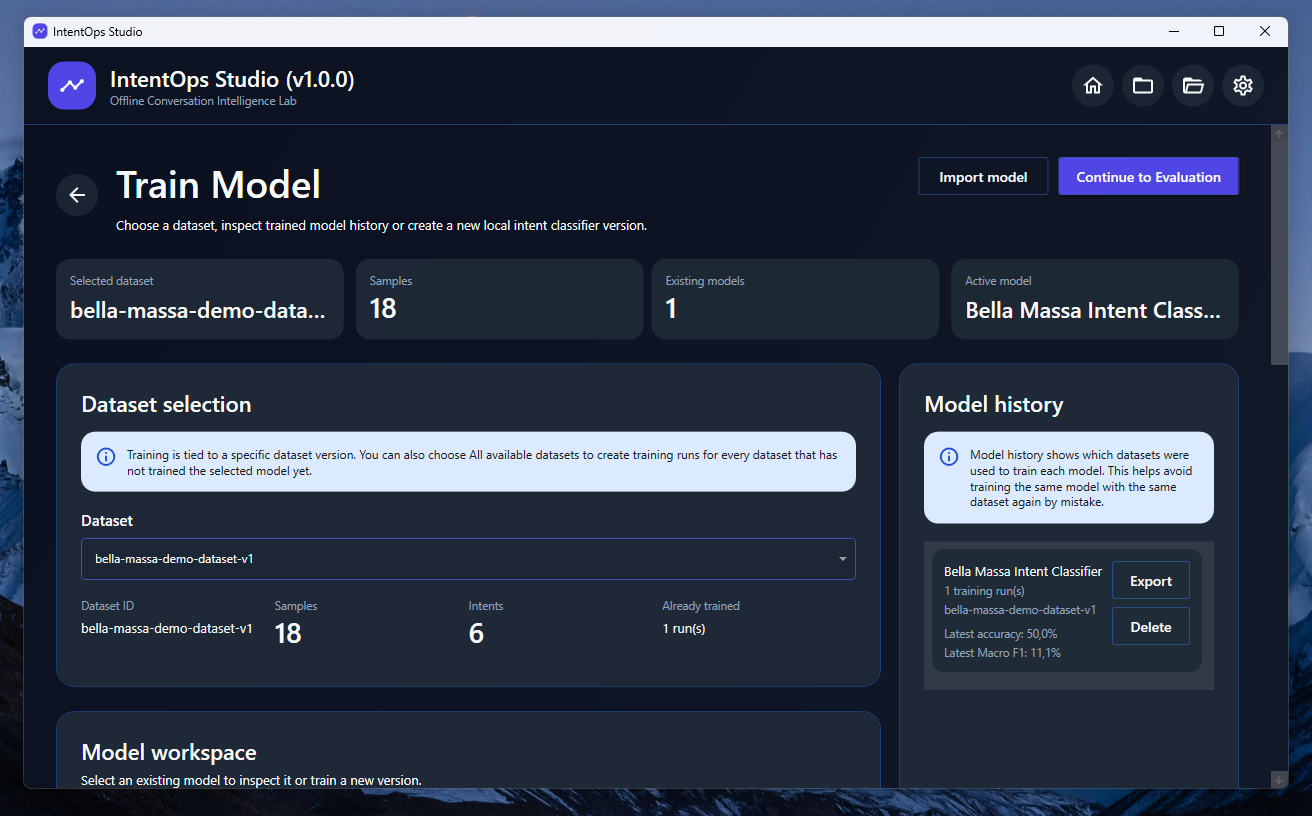
IntentOps Studio training screen

Train local classifiers and keep model history organized.

Train a brand-new model or add a new training run to an existing model family. IntentOps Studio keeps dataset, metrics, model artifacts, and package exports connected.

Train ML.NET text classification models locally.
Track model families and training runs.
Export and import IntentOps model packages.
Prevent duplicate model and dataset package imports.

The full local intent-operations loop.

IntentOps Studio connects business context, conversation data, reviewed samples, datasets, models, evaluations, recommendations, and reports inside one desktop workspace.

Business Profile

Define business information, products, glossary terms, expected intents, and routing rules.

Conversation Import

Import structured JSON conversation exports from chatbot or support workflows.

Sample Review

Approve, correct, mark unknown, or discard messages before dataset creation.

Dataset Builder

Create intent datasets and export JSON, JSONL, CSV, or portable dataset packages.

Training

Train local ML.NET intent classifiers using reviewed datasets.

Evaluation

Inspect accuracy, Macro F1, Micro F1, LogLoss, confusion matrix, and per-intent metrics.

Recommendations

Find weak intents, dataset gaps, confusing classes, and next improvement actions.

Reports

Generate readable HTML reports for import analysis, datasets, model evaluation, and recommendations.

Export datasets, models, recommendations, and reports.

IntentOps Studio creates practical artifacts that can be archived, reviewed, shared, or reused in another project.

Business Profile JSON Business context, products, glossary, intents, and routing rules.
Conversation Export JSON Structured imported conversations with messages, channels, timestamps, and outcomes.
Dataset JSON / JSONL / CSV Reviewed intent samples in structured, training-friendly, and spreadsheet-friendly formats.
Dataset Package Portable IntentOps dataset archive with duplicate import protection.
Model Package Portable trained model archive with manifest, metrics, and duplicate import protection.
Recommendations / Gaps JSON Machine-readable improvement actions and coverage gaps for the selected model.
HTML Reports Readable reports for import analysis, dataset summary, model evaluation, and recommendations.

Requirements and distribution.

The public release is packaged for Windows 10/11 x64 as a self-contained installer.

Operating system Windows 10 or Windows 11 x64.
Runtime .NET 8 self-contained build. No separate .NET installation is required for the release package.
Architecture Windows x64.
Privacy Imported conversations, datasets, model training, evaluations, recommendations, and reports run locally.
Source code Available as an open-source project on GitHub under the MIT License.
Frequently asked questions

Questions before downloading?

IntentOps Studio is built for local intent-operations workflows, dataset preparation, model evaluation, recommendations, and business-readable reports.

IntentOps Studio is a Windows desktop app for importing customer conversations, reviewing intent samples, building datasets, training local classifiers, evaluating model quality, generating recommendations, and exporting reports.
No. The main workflow runs locally. Conversation import, dataset creation, ML.NET training, evaluation, recommendations, and report generation happen on the user's machine.
IntentOps Studio imports structured conversation JSON files containing source metadata, business information, conversations, messages, channels, timestamps, and outcomes.
Yes. Projects can be created with encrypted local project databases. Keep the project password safe, because IntentOps Studio cannot recover lost passwords.
Small datasets are useful for demos and workflow validation, but production classifiers need more reviewed examples per intent. IntentOps Studio helps identify weak intents and missing coverage.

Ready to build a local intent-operations workflow?

Download IntentOps Studio for Windows 10/11 x64, create a local project, import conversations, review samples, build a dataset, train a model, and generate reports.